Plan people like you plan production.
FlowWorks gives manufacturing planners one living view of competences, capacity and project demand. The right welder on the right line in the right week, and the next bottleneck visible months before it hurts.
30-minute walkthrough with your own competence list. No installation, nothing to sign.
| Person | Weld | CNC | QA | Robot | Free h |
|---|---|---|---|---|---|
| Anna B. | 3 | 2 | – | 1 | 12 |
| Bo L. | 2 | – | – | 3 | 0 |
| Cara V. | – | – | 4 | – | 21 |
| Dan H. | 3 | 3 | – | – | 7 |
| Capable | 3 / 2 | 2 / 2 | 1 / 2 | 1 / 1 |
The Monday morning problem
The plan lives in three spreadsheets, and none of them agrees.
Competences in one file, holidays in another, project hours in a third. By the time they meet, the week has started.
The skills matrix is out of date
Levels change on the floor, certificates expire quietly, and the one person who kept the sheet went on leave.
Capacity is a guess
Contracted hours minus absence minus what is already allocated: nobody has that number per competence per week.
Bottlenecks arrive as surprises
Two projects both need welders in week 43. You find out in week 42.
One living plan
Competences, capacity and projects, connected.
Three modules on one data model. Change a qualification, and the board, the suggestions and the bottleneck trend update with it.
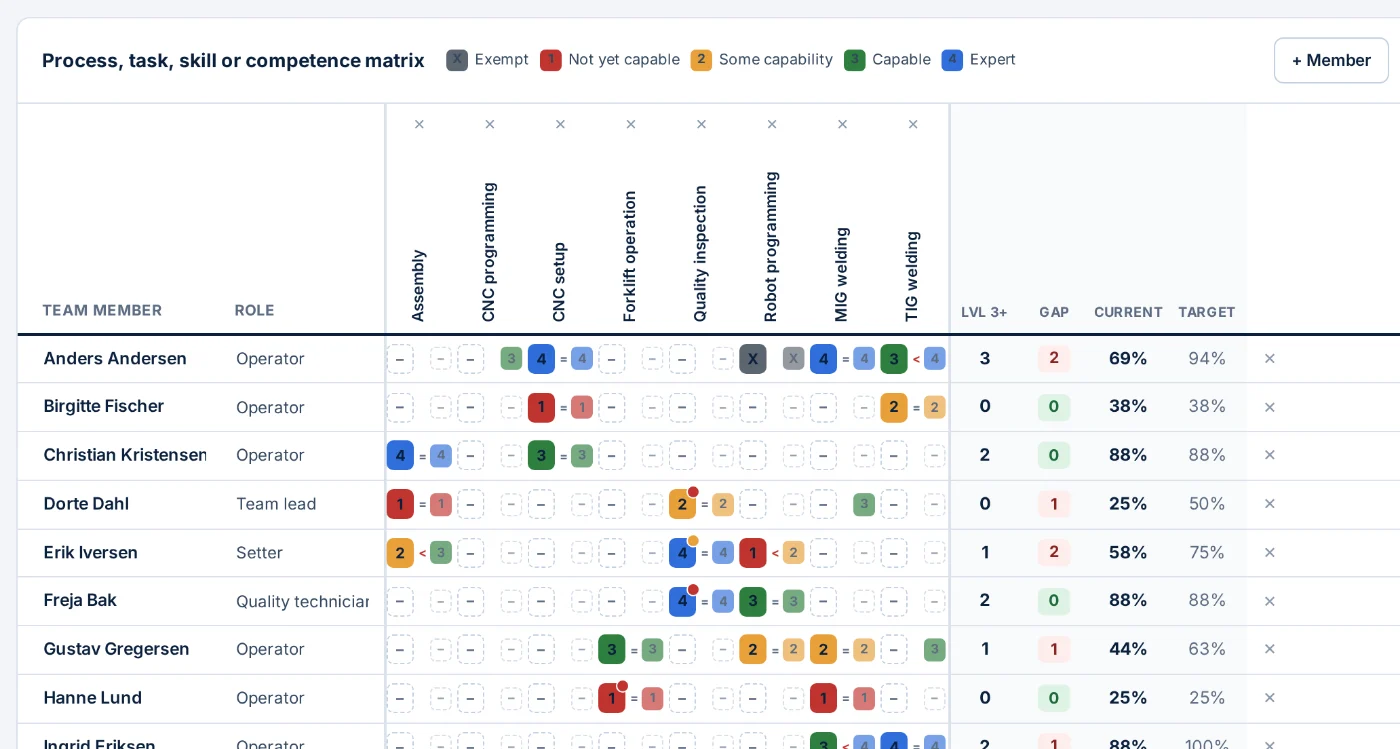
Skills matrix that stays true
Import your existing template, review every row, commit. Levels, validity dates, target levels per team, and the count of capable people per competence.
- Expiring certificates surface before they lapse
- Current versus target level per team, on one screen
- Every read of a person record is audited
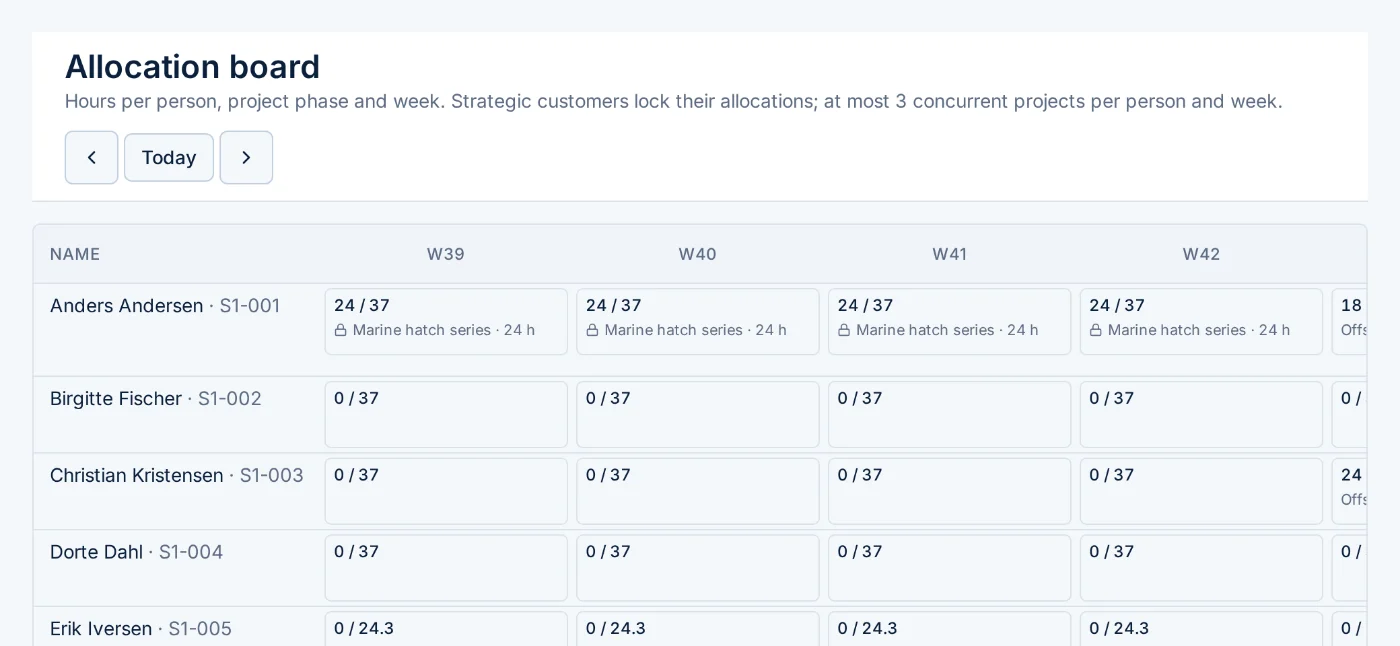
Allocation board with warnings and suggestions
Hours per person, phase and week against what is actually available. Over-allocation, qualification gaps and too many parallel projects are flagged as you type.
- Staffing suggestions ranked by fit, availability and switching cost
- Strategic projects lock their people until a planner unlocks them
- Absence periods visible to planners, reasons only to HR
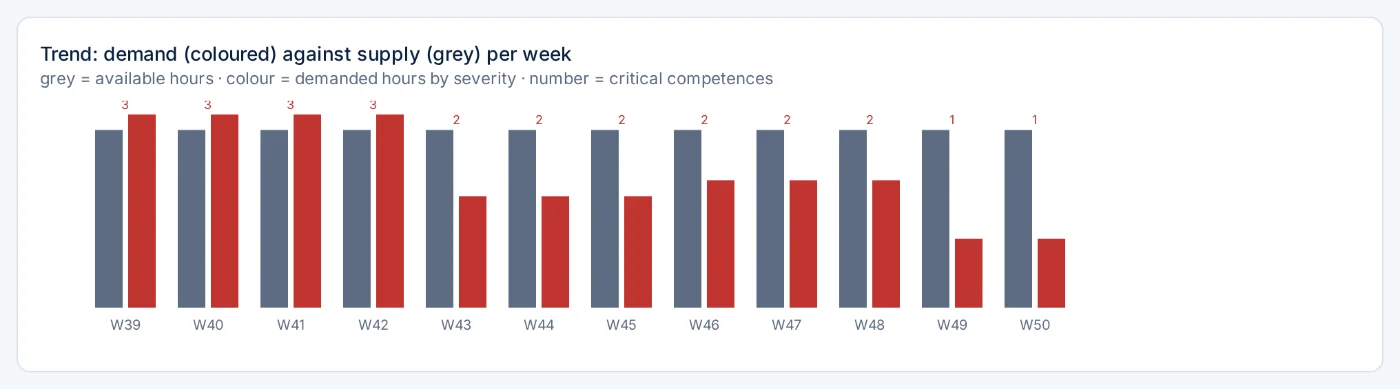
Projects, demand and the bottleneck trend
Phases from your own templates, demand per competence and week, and a nightly comparison against available hours. Critical weeks go to the planners' inbox, and to your improvement board when you connect one.
- Trend across coming weeks, and over time as the outlook changes
- Thresholds, locks and reminder windows are rules you set per site
- Escalations to connected tools carry aggregated numbers only, never a person
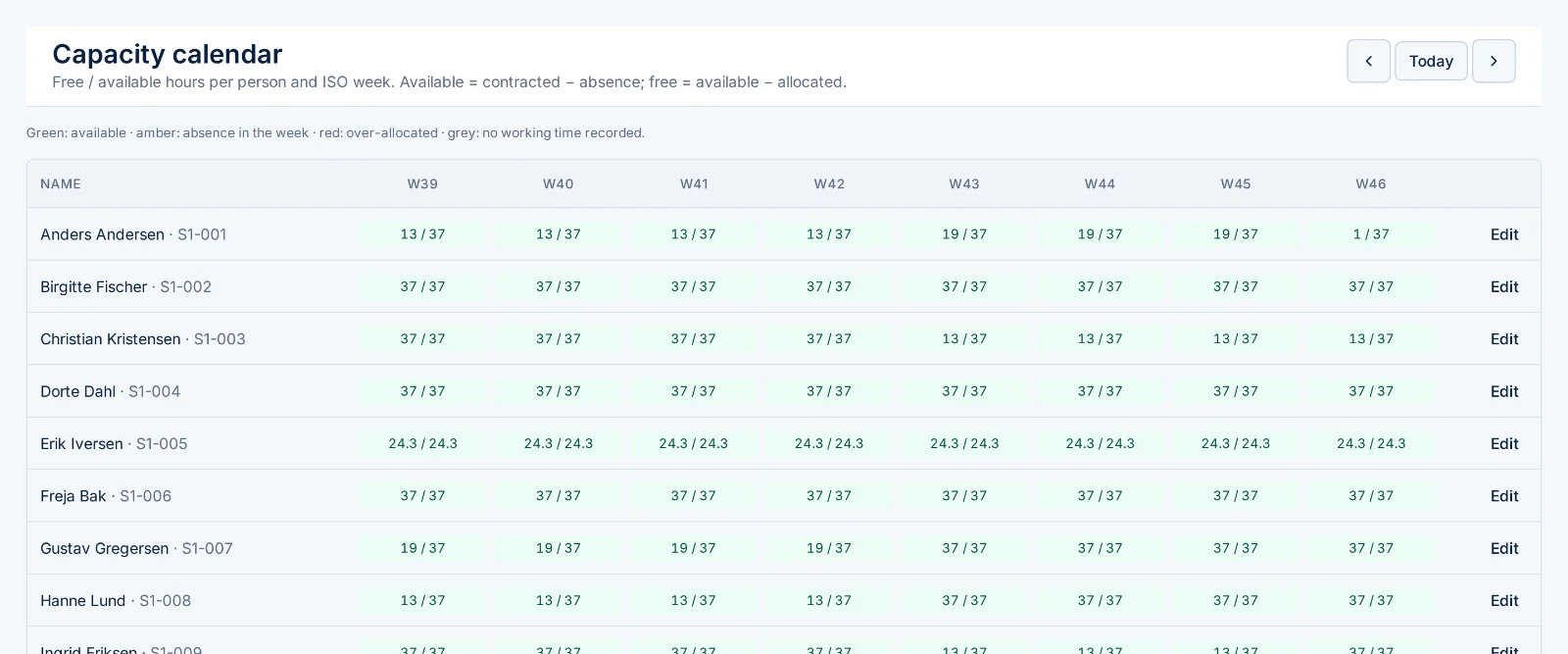
Capacity calendar
Contracted hours minus absence minus what is already allocated, per person and week. Absence shows as a colour; its reason stays with HR.
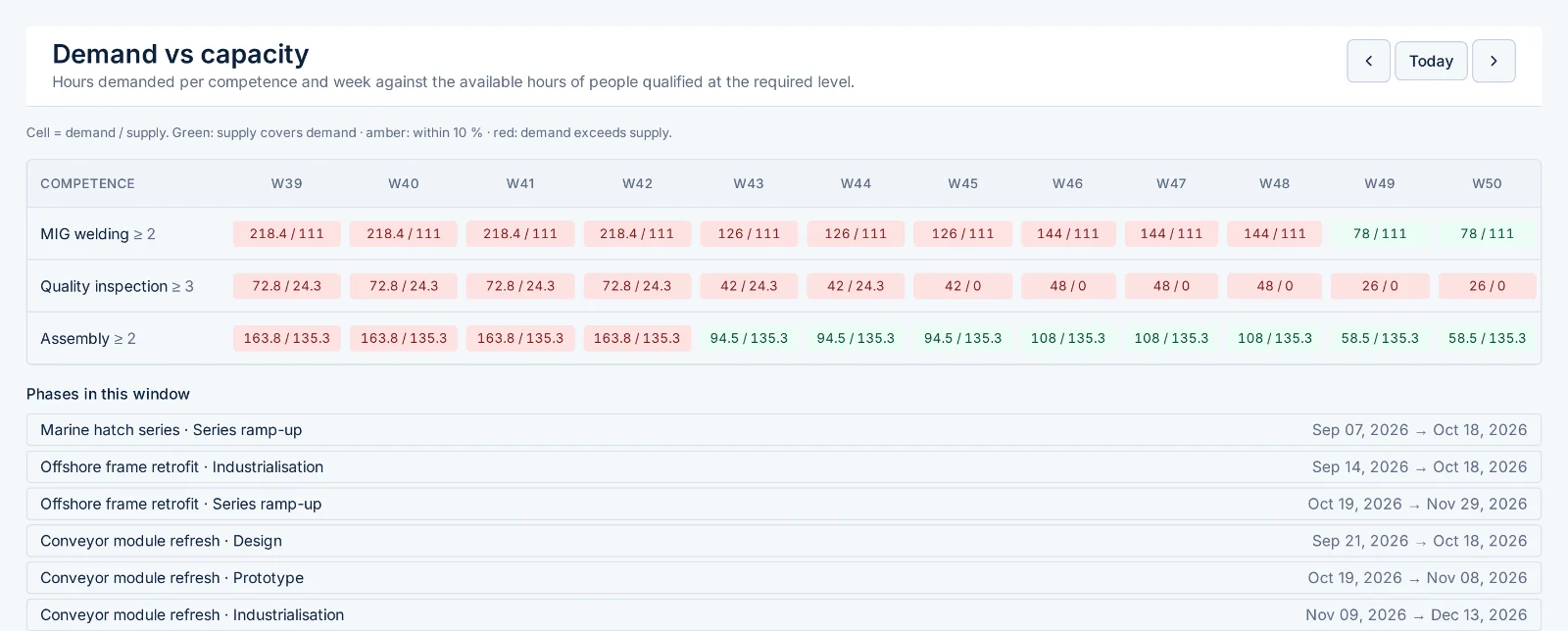
Demand against capacity
Hours each project phase demands per competence, against the hours of people qualified at the required level.
Next: value stream mapping Early access
Value streams drawn from data, not from sticky notes.
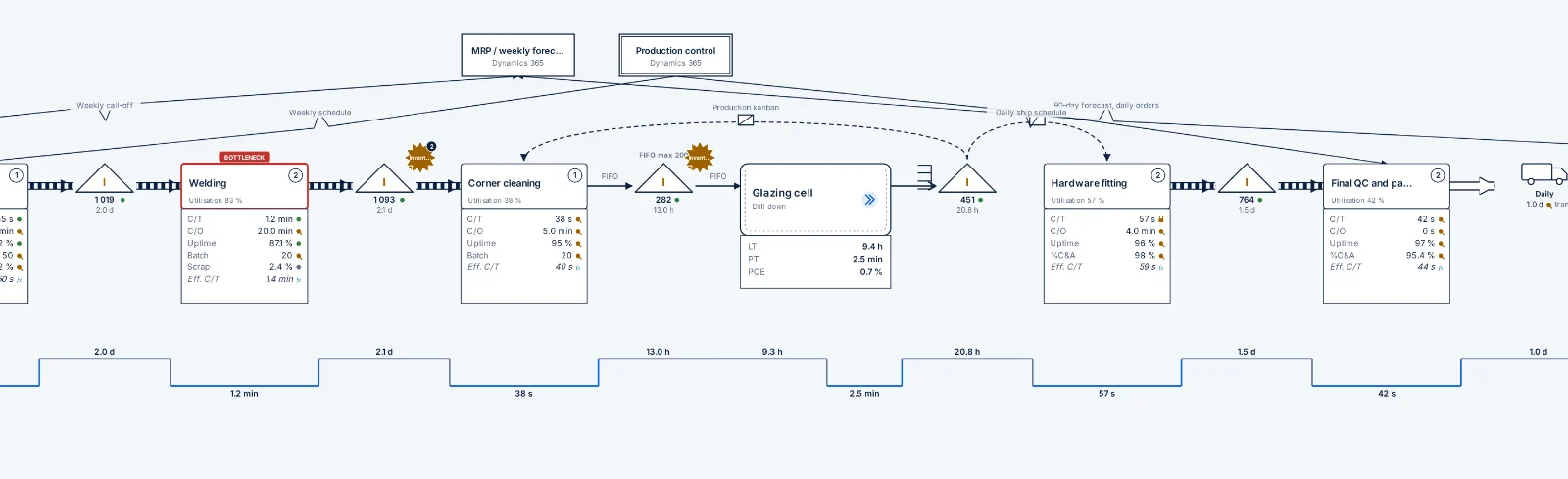
A digital value stream map for each plant, on the same platform as the capacity plan, calculated from the process steps, inventories and flows behind it. Lead time, process time and flow efficiency are computed, the bottleneck is marked, and every number shows whether it was measured, entered or calculated.
From current state to future state
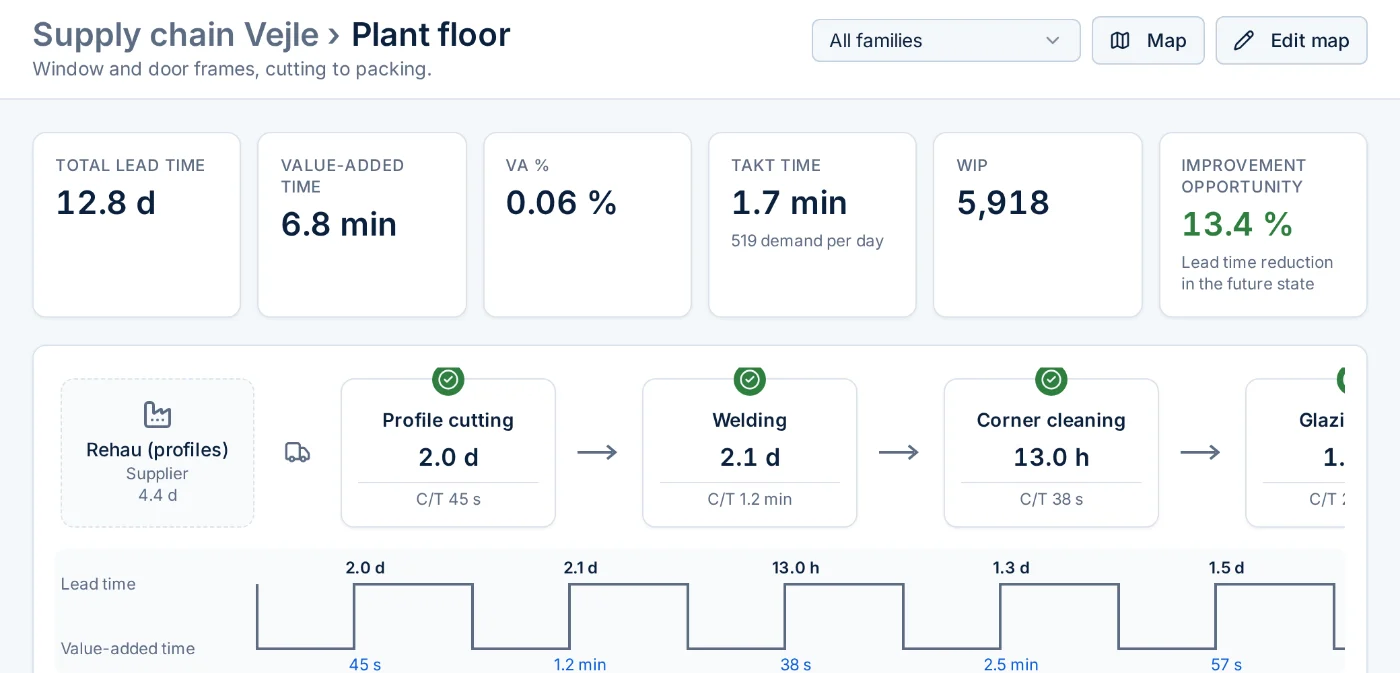
The overview turns the map into the numbers a steering meeting needs: total lead time, value-added time, takt, work in progress and where the waiting happens. A future state starts from the current one, and the two can be compared step by step.
- Lead-time ladder and flow efficiency, recomputed whenever a value changes
- Waste broken down by cause, with rule-based suggestions you can check
- Drill down from supply chain to plant floor to cell, without a fixed number of levels
How it works
From your spreadsheet to a living plan in eight weeks.
We configure with you, you import, your planners plan. No consultants living on site.
Import
Upload your competence template. Every row is validated and reviewed before anything is committed.
Configure
Sites, phase templates, rules and thresholds through the UI. Roles come from your identity provider.
Plan
Projects and demand in, allocations on the board, suggestions when a week is short.
Get warned
Expiring certificates, unfilled demand and bottlenecks land in the inbox, and in the tools you connect.
Built for the people who have to approve it
Security and privacy are features, not a hardening phase.
Personal data about your employees deserves more than a login page. This is how FlowWorks handles it.
One database per customer
Your data never shares a database with anyone else. Inside it, row-level security enforces who sees which site.
Tamper-evident audit log
Every change and every read of a person record is hash-chained, verified nightly, and exportable with a signature you can check offline.
Your data, where you decide
Choose the cloud region your data lives in, EU or US, and it stays there. Prefer your own database service? FlowWorks connects to it. Need everything inside your walls? A self-hosting bundle is available. Notifications are in-app; nothing is emailed or pushed to third parties.
Employee rights built in
Export one employee's data, or delete them with their history pseudonymised. Absence reasons are visible to HR only, and never exported.
See your bottlenecks before your customers do.
Bring your competence list to a 30-minute walkthrough. We import it live and show you next quarter's capacity by competence and week. We reply within one working day.
- No installation, nothing to sign
- Your file stays in the walkthrough and is deleted afterwards
- Danish, Norwegian or English
Questions we get
Straight answers.
Does FlowWorks fit the tools we already use?
FlowWorks is an independent application: it runs on its own with your identity provider and needs nothing else. It also integrates. An API lets Lean and improvement platforms, ERP and HR systems exchange people, capacity and escalations with it, and we are adding ready-made apps for the platforms our customers run, so critical bottlenecks can become tasks on the boards you already use.
What do we have to prepare?
Your competence list in a spreadsheet (any column names, we map them), your phase templates, and the rules you plan by: how many parallel projects a person may hold, when a week counts as critical, how early to warn about expiring certificates.
Where is our data?
Where you decide. Each customer gets a database that is theirs alone, in the cloud region they select, in the EU or in the US, with point-in-time backups. Organisations that already run a PostgreSQL service can bring their own: FlowWorks connects to it and the data never leaves their account. Self-hosting on your own infrastructure is the third option.
How long until the first real plan?
Eight weeks from kickoff for a site: import and review in the first weeks, configuration and planning rules with your planners, then acceptance tests on your own data.
What does it cost?
Per site, per month, unlimited users. Pricing follows the walkthrough; there is no charge for the import review.